
The canvas comes first
A small top bar, a side bar for brush size and opacity, and your brushes, colours and layers one tap away. Nothing else in the way.
From Waraqa, the Cairo sketchbook makers
Waraqa Paint is a painting studio for your computer. A quiet canvas and brushes that follow your pen, with layers and real PSD files whenever you need them.
Windows app coming soon. Survey takers hear first.
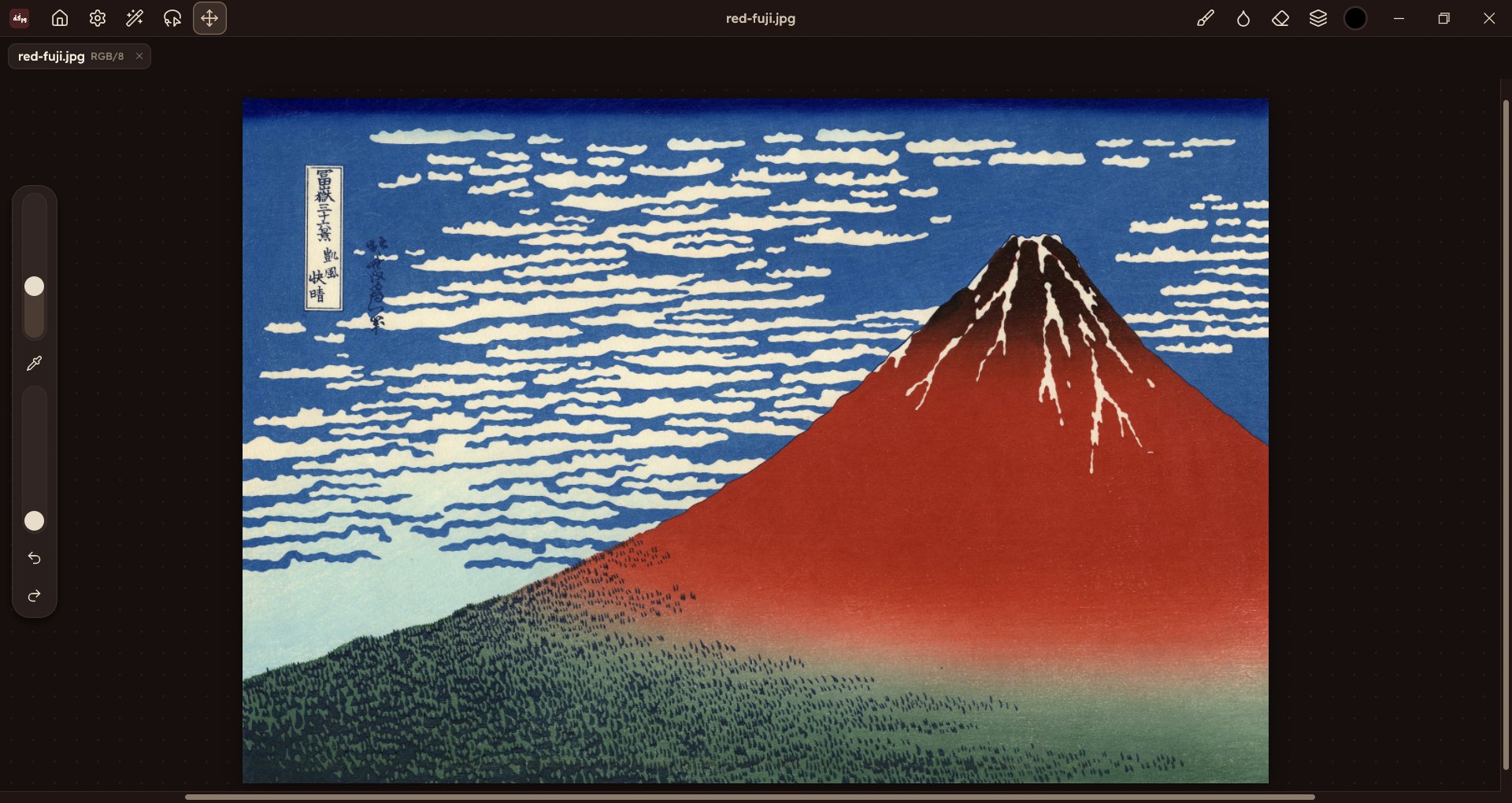
A small top bar, a side bar for brush size and opacity, and your brushes, colours and layers one tap away. Nothing else in the way.
Pressure, tilt and the eraser end of your stylus shape every stroke. Bring your drawing tablet.
Layers, masks and adjustment layers. Open and save Photoshop files, so you can share work with anyone.
Turn on Pro mode for menus, panels and every tool: selections, type, vectors, filters and layer styles.
We're building Waraqa Paint with artists, not just for them. Tell us how you draw and what you need, and you'll get 50% off your subscription for the first 12 months once it's released.
Take the surveyOne offer per person. We use your contact only to tell you about Waraqa Paint, and you can ask us to delete it at any time.
A quick demo of the same app, running in your browser. Nothing is uploaded: your drawing stays on your computer.
Open the demoComing soon for Windows 10 and 11. Take the survey and we'll tell you the moment it's ready.
Waraqa Paint will be a monthly subscription. We'll set the price with help from the survey. Everyone who answers gets 50% off for their first 12 months.
We're starting with Windows 10 and 11. The quick demo is a good way to check how it feels on your machine today.
Windows comes first. Tell us in the survey what you draw on, and it will help us decide what's next.
Yes. Waraqa Paint opens and saves PSD files with their layers, so you can move work between apps.
The Windows app reads pressure, tilt and the eraser end of your pen. In the browser demo it depends on the browser and the tablet driver.